We made animated captions with HyperFrames on a 60-second clip and timed every step
Animated captions that follow each word, built with HyperFrames and laid over your own footage. We ran every step on one 60-second clip of Tears of Steel, one cold run and three timed runs, on a laptop with no GPU in use.
Tested by us on Nov 6, 2026, on the clips and machine listed below. Every number on this page was measured in that run.
The result
It works, and it is slow on a laptop CPU. One 60-second clip went through the whole job in a median of 3.7 minutes (225 s): 12 s to transcribe with word times, 171 s for HyperFrames to render the captions, and 42 s for FFmpeg to lay them over the clip and encode. The render is 76% of the run. The first, cold run took 5.2 minutes.
All 23 of 23 caption phrases were in the picture at their time, the longest phrase was 2.6 s, and the word error against the film's subtitles was 15.2%, the same as our faster-whisper test on the uncut clip. Peak memory reached 1.7 GB.
What it made
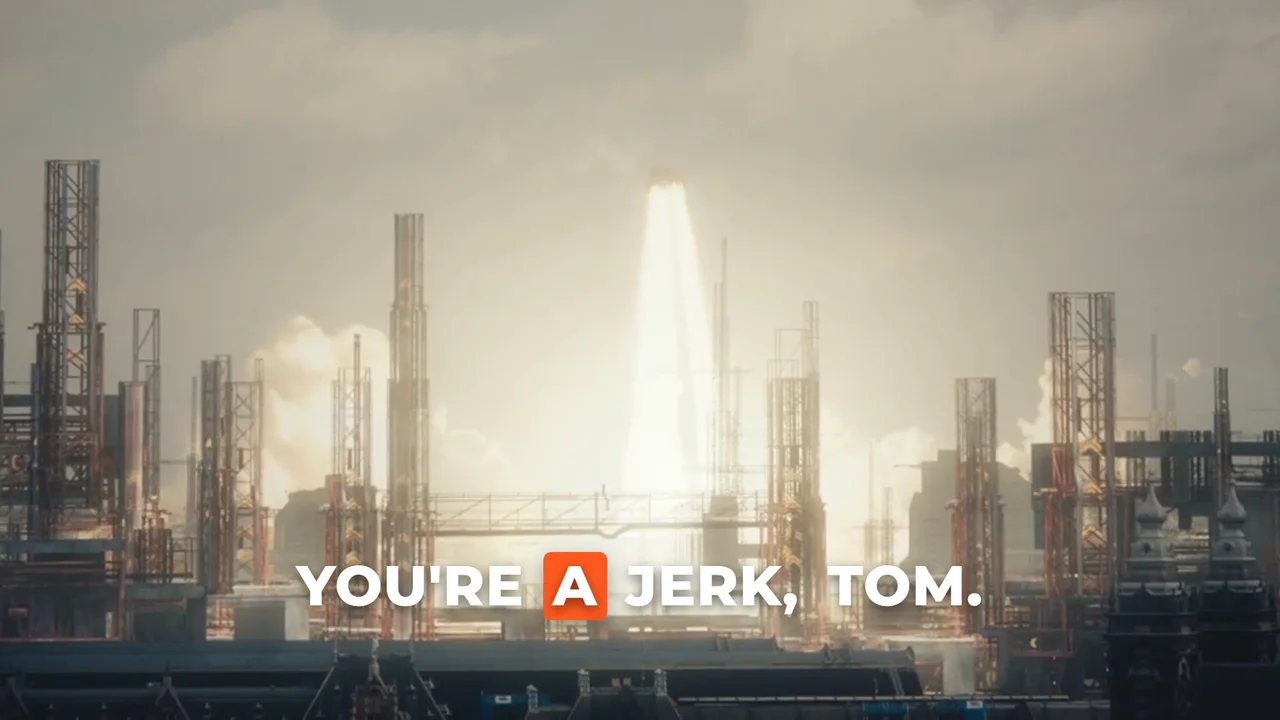
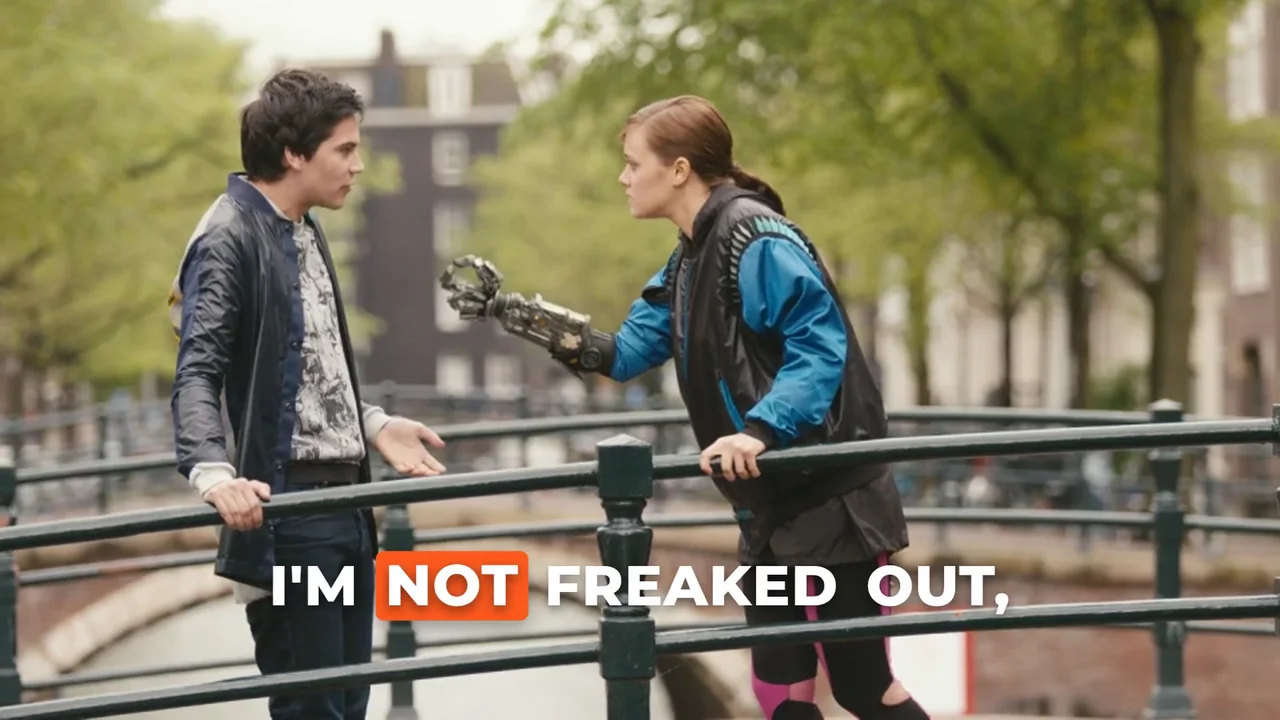
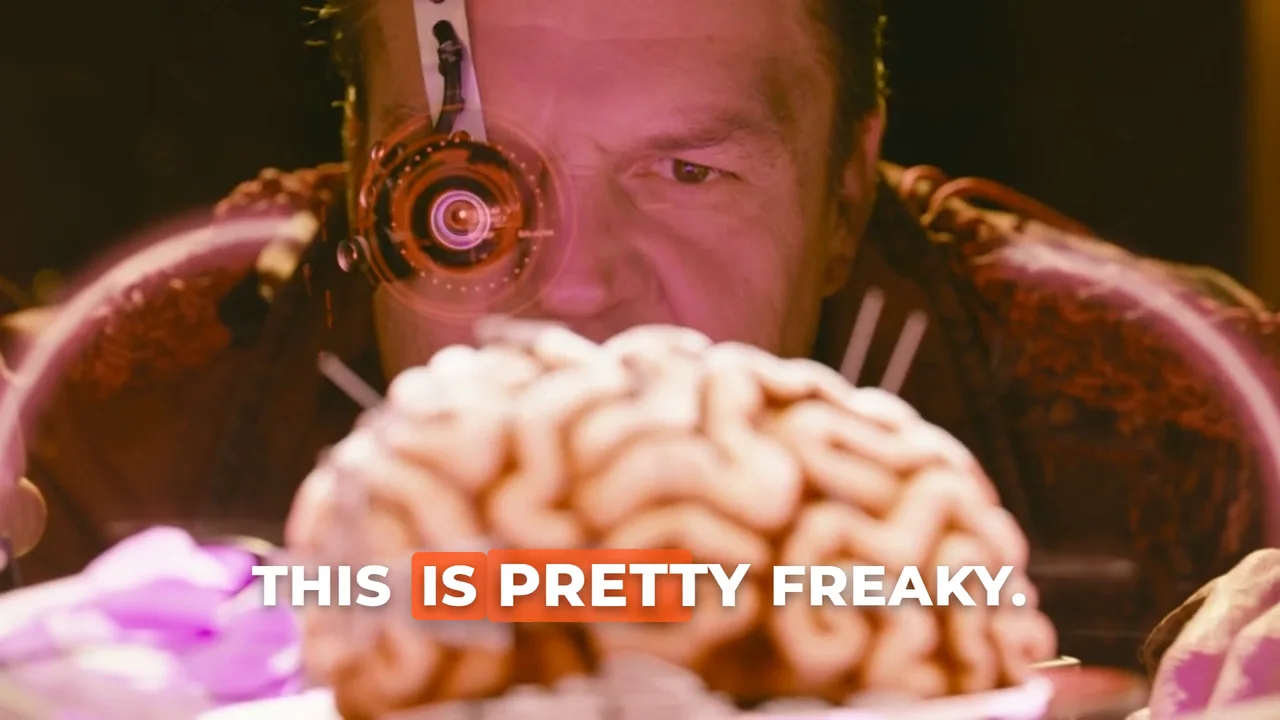
Footage: Tears of Steel, (c) Blender Foundation, mango.blender.org, CC-BY 3.0. These are files we made from it; they are shown under the same licence terms.
Three frames from the captioned render that we checked by eye. We kept the frames, not the 164 MB transparent file.
What failed or surprised us
- The cold run was 38% slower than the median of the timed runs (311 s against 225 s). The CPU was quiet before it, so we do not know why.
- The transparent caption render is a 156 MB file for 60 seconds, against 34 MB for the finished video. Plan disk space for it; it is scratch you can delete after the overlay.
- Our caption composition was built for 5-second demos. To use it for 60 seconds we had to change the duration in three places in the file (the composition length and two animation lengths), and the script does that with text replacement. A change to the composition's layout would break that.
- We cover-cropped the film frame to 16:9 so the captions sit on the picture. The film is wider than 16:9, so the crop cuts about a quarter of the width and enlarges the picture about two times, which is why it looks soft. Use a clip that is already 16:9 if you can.
- The composition loads its font from Google Fonts, so a render needs network access or a local copy of the font. We did not test it offline.
What we tested and how
- Tool: HyperFrames animated captions version HyperFrames 0.8.10, faster-whisper 1.2.1 (small.en), FFmpeg 8.1.2, Apache-2.0 (HyperFrames), MIT (faster-whisper), GSAP standard licence.
- Settings compared: faster-whisper small.en word times, a HyperFrames word-highlight caption composition, transparent render, FFmpeg overlay.
- Input clips: Tears of Steel, (CC) Blender Foundation, mango.blender.org, CC-BY 3.0. 60 s excerpts re-encoded to H.264 720p.
tos_a: 60 s starting at 20 s of the film, SHA-256945262dcbe106f1e...
- Machine: AMD Ryzen 7 7735U (8 cores, 16 threads), integrated Radeon 680M, not used (CPU-only runs), 31.2 GB RAM, Windows 11 10.0.26300. The laptop was shared with other work, so timings are what a busy machine gives, not a clean benchmark.
- Runs: one cold run, then three timed runs per clip and setting. Run on 2026-11-06.
The job: put animated word-by-word captions on a clip. We used four steps in one script: faster-whisper small.en gives word times; a script writes them into our word-highlight caption composition (phrases of up to four words, a new phrase after a 0.6 s pause or a sentence end); HyperFrames 0.8.10 renders the captions with a transparent background at 1080p and 24 fps with two workers; FFmpeg overlays them on the clip and encodes H.264.
One clip only (tos_a, 60 s), because a render takes minutes: one cold run and three timed runs of the whole script, with the CPU load just before each. We checked every phrase in the picture against the same frames without captions, measured word error against the official subtitles, and looked at the first, middle and last phrase frames ourselves. The GPU was not used.
Measurements by clip
The whole run, one 60-second clip
| Clip | Cold run (s) | Timed runs (s) | Median run (min) | Peak memory (MB) | Output | Transparent caption file (MB) | SHA-256 of the output (first 16) |
|---|---|---|---|---|---|---|---|
| tos_a | 310.6 | 248.9, 224.9, 224.7 | 3.7 | 1750 | h264 yuv420p 1920x1080 | 156 | e3ce4671b3119d77 |
Where the time went (median of the three timed runs)
| Clip | 1. Transcribe (s) | 2. Build the composition (s) | 3. Render the captions (s) | 4. Overlay and encode (s) |
|---|---|---|---|---|
| tos_a | 11.9 | 0.01 | 170.8 | 42 |
Did the captions come out right?
| Clip | Phrases in the picture / checked | Word error vs the film subtitles | Words (subtitles / ours) | Longest phrase on screen (s) |
|---|---|---|---|---|
| tos_a | 23 / 23 | 15.2% | 79 / 77 | 2.62 |
Reproduce it
"""Animated word-highlight captions with HyperFrames: transcribe, build the caption composition from the word times, render it
with a transparent background, lay it over the clip with FFmpeg.

usage: python pipeline_hf_captions.py clip.mp4 workdir
Needs faster-whisper, numpy, ffmpeg (set FFMPEG), HyperFrames (set HF to the hyperframes command) and the caption composition
(set TEMPLATE to a folder holding index.html and gsap.min.js: the word-highlight composition from our effects pages).
Prints one JSON line with the seconds each stage took.
"""
import json
import os
import re
import shutil
import subprocess
import sys
import time

import numpy as np
from faster_whisper import WhisperModel

FFMPEG = os.environ.get("FFMPEG", "ffmpeg")
HF = os.environ.get("HF", "hyperframes")
TEMPLATE = os.environ["TEMPLATE"]
clip, work = sys.argv[1], sys.argv[2]
if os.path.isdir(work):
    shutil.rmtree(work)
os.makedirs(work)
times = {}
MAX_WORDS = 4


def stamp(k, t0):
    times[k] = round(time.perf_counter() - t0, 2)


def js(v):
    return json.dumps(v, ensure_ascii=False)


# 1. word times
t0 = time.perf_counter()
raw = subprocess.run([FFMPEG, "-v", "error", "-i", clip, "-vn", "-ac", "1", "-ar", "16000", "-f", "f32le", "-"], capture_output=True, check=True).stdout
model = WhisperModel("small.en", device="cpu", compute_type="int8", cpu_threads=8)
segments, _ = model.transcribe(np.frombuffer(raw, dtype=np.float32), language="en", word_timestamps=True, vad_filter=False, beam_size=5)
words = [[w.word.strip(), round(w.start, 2), round(w.end, 2)] for s in segments for w in s.words]
stamp("transcribe_s", t0)

# 2. group words into phrases of at most 4, break on a pause or a sentence end; write the composition
t0 = time.perf_counter()
groups, cur = [], []
for w in words:
    if cur and (len(cur) >= MAX_WORDS or w[1] - cur[-1][2] > 0.6 or cur[-1][0][-1:] in ".?!"):
        groups.append(cur)
        cur = []
    cur.append(w)
if cur:
    groups.append(cur)
dur = 60
src = open(os.path.join(TEMPLATE, "index.html"), encoding="utf-8").read()
body = ",\n".join("            " + js(g) for g in groups)
pat = re.compile(r"standard: \[\n.*?\n          \],", re.S)
assert pat.search(src)
src = pat.sub(lambda m: "standard: [\n" + body + ",\n          ],", src, count=1)
src = src.replace('data-duration="5"', f'data-duration="{dur}"').replace("duration: 5,", f"duration: {dur},").replace(": 5.0;", f": {dur}.0;")
comp = os.path.join(work, "comp")
os.makedirs(comp)
open(os.path.join(comp, "index.html"), "w", encoding="utf-8").write(src)
shutil.copy(os.path.join(TEMPLATE, "gsap.min.js"), comp)
json.dump({"words": words, "groups": groups}, open(os.path.join(work, "words.json"), "w", encoding="utf-8"), ensure_ascii=False)
stamp("build_composition_s", t0)

# 3. render the captions on a transparent background (24 fps, 2 workers)
t0 = time.perf_counter()
subprocess.run([HF, "render", ".", "-o", "alpha.mov", "--fps", "24", "--workers", "2", "--quality", "high", "--quiet", "--format", "mov", "--variables", js({"plate": False})],
               cwd=comp, check=True, capture_output=True)
stamp("render_captions_s", t0)

# 4. lay the captions over the clip (cover-crop the clip to 1920x1080, 24 fps) and encode
t0 = time.perf_counter()
subprocess.run([FFMPEG, "-v", "error", "-y", "-i", clip, "-i", os.path.join(comp, "alpha.mov"), "-filter_complex",
                "[0:v]scale=-2:1080,crop=1920:1080,fps=24,setsar=1[b];[b][1:v]overlay=0:0:format=auto,format=yuv420p[v]", "-map", "[v]", "-map", "0:a",
                "-c:v", "libx264", "-crf", "20", "-preset", "medium", "-c:a", "aac", "-b:a", "128k", "-t", str(dur), "final.mp4"], cwd=work, check=True)
stamp("composite_s", t0)
print(json.dumps(times))

# run: python pipeline_hf_captions.py clip.mp4 workdir
The script we ran. It needs faster-whisper, numpy, ffmpeg, the HyperFrames command line and a folder holding the word-highlight composition (the one on Word-highlight captions) with gsap.min.js. Set FFMPEG, HF and TEMPLATE before you run it.
Method and limits
- One 60-second clip of one film. Three clips would have taken about 45 minutes of runs.
- Phrases are checked as present in the picture, not as well timed to the speech.
- CPU-only on a laptop shared with other work. A machine with a GPU or more cores will give other times.
- HyperFrames and GSAP have their own licences; read them before commercial use.
- Footage: Tears of Steel, (CC) Blender Foundation, mango.blender.org, CC-BY 3.0.
Page checked on Nov 4, 2026.