Effect #050 in our rendered series
Prism fringe title
A title resolves from blur to focus while red and blue fringes settle, then fade out.
Rendered by us at 1920x1080 over a shot from Tears of Steel (Blender Foundation, CC-BY 3.0). Expand plays the full 1080p file.
Edit in Premiere, Resolve or After Effects? Jump to editor templates. Making many versions of the same video? Use the code route.
Make this effect with
Built and tested by us
Other ways, not tested by us
Use it in a real edit
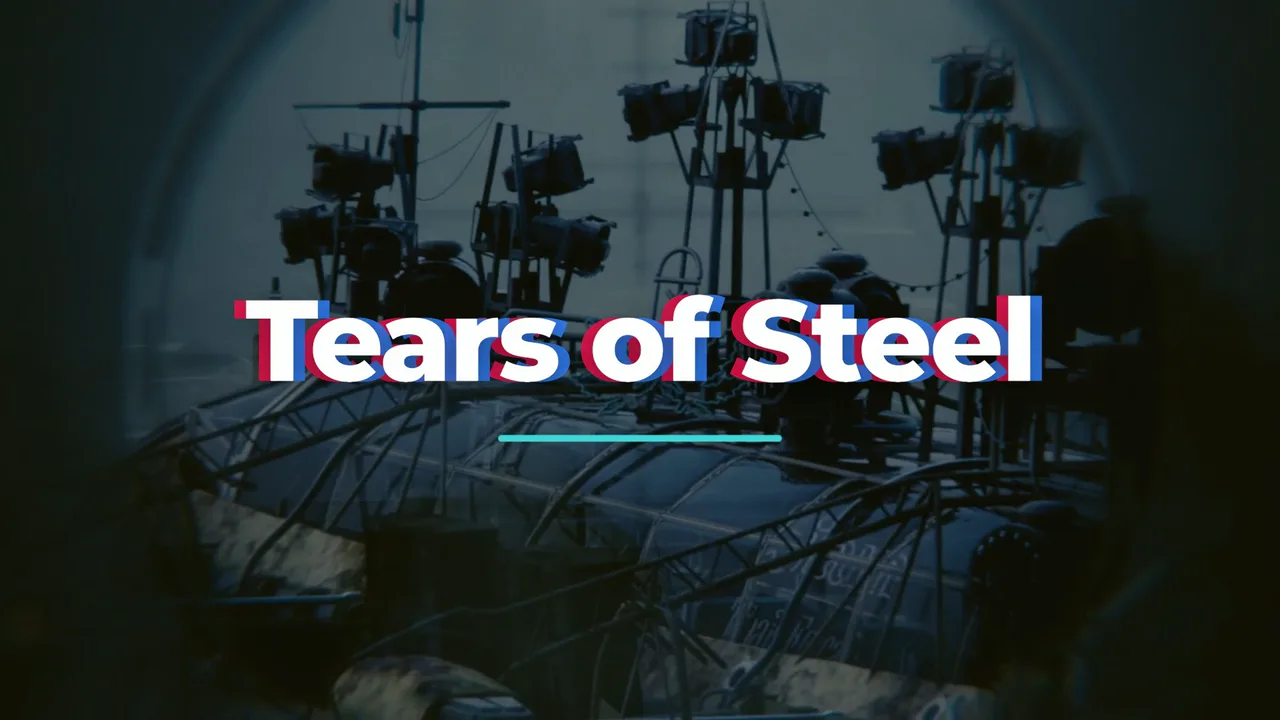
The same title effect on another establishing shot from the film Nothing in the composition changed except the footage file.
The composition plays your clip as a muted <video> layer under the graphics (the file plate.mp4 in the code below), so you swap the footage by replacing that file and rendering again. To use the graphics in an editor instead, switch the background off and render a transparent MOV (an H.264 MP4 cannot carry transparency):
npx hyperframes render . -o overlay.mov --format mov --fps 24 --variables '{"plate":false}'The routes in full
With Claude Code: the prompt we used
Rendered and tested by us in HyperFrames 0.8.10 on Nov 7, 2026.
Make a 5 second display title that enters with a blur-to-focus, with a red and blue colour fringe that settles, holds, then fades, on a transparent background option.
What changed since this prompt: the demo on this page is our second version, 5 seconds long, rebuilt on a shot from Tears of Steel with the same animation idea. The full composition below is the one we rendered; its build log lists every change.
Built by a Claude Code subagent (Sonnet) from the HyperFrames registry block yt-prism-title, HyperFrames 0.8.10. Claude Code then checked the composition with hyperframes lint and hyperframes check before we rendered it.
What we had to correct (3 notes from the build log):
- First render (seen at 2.2 s in the contact sheet): the title read as blue with a red edge and the white main layer was missing except inside the letter counters. Cause: the red and blue layers carry GSAP x transforms, which paint above the untransformed white layer whatever the DOM order. Fix: explicit stacking (white z-index 2, fringes z-index 1, all position relative). Re-rendered and looked at again.
- hyperframes check: "Check passed"; contrast "div ... 2.94:1 (need 3:1, t=4.722s)" is the title during its 0.65 s fade out.
- v2 (7 Nov 2026): plates tx_house, real-edit second shot; copy is believable film/site copy, no dummy text. QA: 'Tears of Steel' red/blue RGB fringe on house shot, face just above.
With HyperFrames code
Rendered and tested by us in HyperFrames 0.8.10 on Nov 7, 2026.
npx hyperframes add yt-prism-title
npx hyperframes render . -o out.mp4 --fps 24
Settings you can change without rebuilding (pass them with --variables):
| Setting | Name | Type | Default |
|---|---|---|---|
| Fringe amount (px) | fringe | number | 14 |
| Accent colour | accent | color | #35c8d9 |
| Title length | title | enum | short |
| Show background | plate | boolean | true |
Our full composition (index.html, 6 KB)
<!doctype html>
<html lang="en" data-composition-variables='[{"id":"fringe","type":"number","label":"Fringe amount (px)","default":14,"min":2,"max":40},{"id":"accent","type":"color","label":"Accent colour","default":"#35c8d9"},{"id":"title","type":"enum","label":"Title length","default":"short","options":[{"value":"short","label":"Short title"},{"value":"long","label":"Long title that wraps"}]},{"id":"plate","type":"boolean","label":"Show background","default":true}]'>
  <head>
    <meta charset="UTF-8" />
    <meta name="viewport" content="width=1920, height=1080" />
    <link href="https://fonts.googleapis.com/css2?family=Montserrat:wght@800&display=block" rel="stylesheet" />
    <script src="gsap.min.js"></script>
    <style>
      *, *::before, *::after { box-sizing: border-box; margin: 0; padding: 0; }
      html, body { width: 1920px; height: 1080px; overflow: hidden; background: transparent; }
      #root { position: relative; width: 100%; height: 100%; overflow: hidden; background: transparent; }

      #plate { position: absolute; inset: 0; background: radial-gradient(120% 90% at 30% 40%, #1b2335 0%, #0b0d12 70%); overflow: hidden; }
      #world { position: absolute; left: -200px; top: -120px; width: 2400px; height: 1320px; }
      .blob { position: absolute; border-radius: 50%; filter: blur(60px); }
      .b1 { width: 760px; height: 760px; left: 180px; top: 260px; background: #ff5a1f; opacity: 0.35; }
      .b2 { width: 900px; height: 900px; left: 1200px; top: 80px; background: #2f6bff; opacity: 0.45; }
      .grid { position: absolute; inset: 0; background-image: linear-gradient(rgba(255,255,255,0.05) 1px, transparent 1px), linear-gradient(90deg, rgba(255,255,255,0.05) 1px, transparent 1px); background-size: 120px 120px; }

      #stage { position: absolute; inset: 0; display: flex; flex-direction: column; align-items: center; justify-content: center; font-family: "Montserrat", sans-serif; font-weight: 800; }
      #wrap { display: flex; flex-direction: column; align-items: center; opacity: 0; }
      #ttl { display: grid; max-width: 1560px; text-align: center; line-height: 1.08; letter-spacing: -0.02em; }
      .ly { grid-area: 1 / 1; }
      .fr { position: relative; z-index: 1; color: #ff2a4d; opacity: 0.9; }
      .fb { position: relative; z-index: 1; color: #2a7fff; opacity: 0.9; }
      .fm { position: relative; z-index: 2; color: #ffffff; text-shadow: 0 10px 40px rgba(0,0,0,0.4); }
      #bar { margin-top: 48px; width: 420px; height: 10px; border-radius: 5px; background: var(--accent); }


      /* footage plate (v2): real footage, pinned, no generated blobs */
      #plate { background: #000 !important; }
      #world { left: 0 !important; top: 0 !important; width: 1920px !important; height: 1080px !important; transform: none !important; }
      #world .blob, #world .grid { display: none !important; }
      #pv { position: absolute; left: 0; top: 0; width: 1920px; height: 1080px; object-fit: cover; }
      #scrim { position: absolute; inset: 0; background: rgba(0,0,0,0.4); }
    </style>
  </head>
  <body>
    <div id="root" data-composition-id="main" data-start="0" data-duration="5" data-fps="24" data-width="1920" data-height="1080">
      <div id="plate"><div id="world"><video id="pv" src="plate.mp4" muted playsinline data-start="0" data-duration="5"></video><div id="scrim"></div><div class="blob b1" id="b1"></div><div class="blob b2" id="b2"></div><div class="grid"></div></div></div>
      <div id="stage"><div id="wrap"><div id="ttl"></div><div id="bar"></div></div></div>
    </div>
    <script>
      window.__timelines = window.__timelines || {};
      (function () {
        const v = window.__hyperframes.getVariables();
        const tl = gsap.timeline({ paused: true });

        if (!v.plate) document.getElementById("plate").style.display = "none";
        tl.fromTo("#world", { x: 0, y: 0 }, { x: -160, y: -50, duration: 5, ease: "none" }, 0);
        tl.fromTo("#b1", { x: 0, y: 0 }, { x: 140, y: -80, duration: 5, ease: "sine.inOut" }, 0);
        tl.fromTo("#b2", { x: 0, y: 0 }, { x: -120, y: 100, duration: 5, ease: "sine.inOut" }, 0);

        document.getElementById("root").style.setProperty("--accent", v.accent);
        const T = { short: ["Tears of Steel", 170], long: ["Tears of Steel, a Blender open movie made in Amsterdam", 104] };
        const key = T[v.title] ? v.title : "short";
        const ttl = document.getElementById("ttl");
        ttl.style.fontSize = T[key][1] + "px";
        ["fr", "fb", "fm"].forEach(function (c) {
          const d = document.createElement("div"); d.className = "ly " + c; d.textContent = T[key][0]; ttl.appendChild(d);
        });
        const O = Math.max(2, Math.min(40, Number(v.fringe) || 14));
        // enter: blur to focus, fringe starts wide and settles
        tl.fromTo("#wrap", { opacity: 0, filter: "blur(22px)", scale: 1.06 }, { opacity: 1, filter: "blur(0px)", scale: 1, duration: 1.1, ease: "power3.out", immediateRender: false }, 0.2);
        tl.fromTo(".fr", { x: -O * 5.5 }, { x: -O, duration: 1.4, ease: "power3.out", immediateRender: false }, 0.2);
        tl.fromTo(".fb", { x: O * 5.5 }, { x: O, duration: 1.4, ease: "power3.out", immediateRender: false }, 0.2);
        tl.fromTo("#bar", { scaleX: 0 }, { scaleX: 1, duration: 0.7, ease: "power3.out", immediateRender: false }, 1.2);
        // hold: gentle fringe breathing and a slow drift
        tl.fromTo(".fr", { x: -O }, { x: -O * 1.3, duration: 0.9, yoyo: true, repeat: 1, ease: "sine.inOut", immediateRender: false }, 1.8);
        tl.fromTo(".fb", { x: O }, { x: O * 1.3, duration: 0.9, yoyo: true, repeat: 1, ease: "sine.inOut", immediateRender: false }, 1.8);
        tl.fromTo("#wrap", { scale: 1 }, { scale: 1.03, duration: 2.4, ease: "sine.inOut", immediateRender: false }, 1.3);
        // exit: fringe opens again, blur and fade
        tl.fromTo("#wrap", { opacity: 1, filter: "blur(0px)" }, { opacity: 0, filter: "blur(16px)", duration: 0.65, ease: "power2.in", immediateRender: false }, 4.2);
        tl.fromTo(".fr", { x: -O }, { x: -O * 3.5, duration: 0.65, ease: "power2.in", immediateRender: false }, 4.2);
        tl.fromTo(".fb", { x: O }, { x: O * 3.5, duration: 0.65, ease: "power2.in", immediateRender: false }, 4.2);

        tl.to({}, { duration: 5 }, 0);
        window.__timelines["main"] = tl;
      })();
    </script>
  </body>
</html>
With Remotion
We have not built this effect in Remotion. If you use it, read its licence first: Individuals (personal or commercial use), organisations or teams with a total headcount of 3 or less, non-profits, and anyone evaluating Remotion before commercial use. A company does not qualify merely because it is unprofitable. Everyone not eligible for the Free License needs a Company License. Remotion licence FAQ, checked Nov 4, 2026.
In your editor: Premiere, Resolve, After Effects, CapCut
We have not reviewed an editor template for this effect yet.
Variations
The same composition rendered again with different settings. Nothing was rebuilt.

{"fringe":6,"accent":"#12b886"}
{"fringe":30,"accent":"#ff2d6f"}
{"title":"long"}Spec and test details
- Engine
- HyperFrames 0.8.10, GSAP 3.14.2 (local copy)
- Length and frame rate
- 5 seconds at 24 fps, rendered at 1920x1080
- Video files on this page
- H.264: 1920x1080 for Expand (5055.2 KB), 1280x720 in the page (1916.7 KB), 640x360 in galleries (386.4 KB), no audio
- Picture check
- The 1080p file scores VMAF 97.38 against our render master and keeps 89% of its edge detail (measured by us with FFmpeg libvmaf and OpenCV)
- Footage
- overgrown brick house with a lit room, a small figure standing, wide establishing (Tears of Steel, 3:03)
- Tested in editors
- None yet
- Flash check
- Passed: at most 0 general and 0 red flashes in any second. automated approximation of WCAG 2.3.1 on a 96x54 grid, whole loop including the restart; not a certification.
- Licence
- Composition adapted by us from the HyperFrames registry (Apache-2.0); text fonts from Google Fonts under the SIL Open Font License.
- Last tested
- Nov 7, 2026
- Machine
- Laptop: AMD Ryzen 7 7735U (8 cores, 16 threads), 31 GB RAM, Windows 11 Home; CPU rendering
Technical details: render times and file sizes
- Render of the 5-second master: 72.3 s (2 render workers, on the laptop above).
- full.mp4: 5055.2 KB
- hero.mp4: 1916.7 KB
- hero.webp: 91.3 KB
- tile.mp4: 386.4 KB
- tile.webp: 29.4 KB
- real-edit.mp4: 1548.3 KB
- real-edit-full.mp4: 4798.1 KB
- real-edit.webp: 43.2 KB
- Variation "subtle": rendered in 73.8 s, 436.8 KB
- Variation "bold": rendered in 49.1 s, 392.9 KB
- Variation "long": rendered in 71.6 s, 427.5 KB
Credits
- Built from the HyperFrames registry block yt-prism-title by HeyGen (Apache-2.0), adapted by us.
- Fonts from Google Fonts, under the SIL Open Font License.
- Footage: Tears of Steel, (c) Blender Foundation, mango.blender.org, licensed CC-BY 3.0. We cropped the shots to 16:9 and laid our graphics over them.
- Editor templates and other routes on this page belong to their creators, who are credited on each card.
Related effects and jobs
Page checked on Nov 4, 2026.