AI Video Editing Flows

Types of motion graphics, with a rendered example of each

Motion graphics come in a few common types: text animation, captions, lower thirds, transitions, data and UI, logo animation, and looks and overlays. Here is each one in a short definition, with some of our own rendered effects.

What counts as motion graphics

Motion graphics are designed graphics that move: text, shapes, charts and overlays, as opposed to filmed footage. This page splits them into seven types. Each section gives a short definition and some of our own rendered effects of that type. Every effect was rendered with HyperFrames.

Text animation

Text animation moves words on screen: letters slam in, flip, scramble or are written on. It carries a headline or a single idea.

  • Kinetic typography slam: Heavy headlines that slam in on the beat, for hooks, ads and Shorts.
  • Split-flap text: A departure-board title where each letter flips through the alphabet to land on the word.
  • Handwritten write-on title: A headline writes itself on stroke by stroke in a handwritten style, for vlog intros and chapter titles.

Caption styles

Caption styles show the spoken words, timed to the speech, often with the current word highlighted. The style sets the tone of a short video.

  • Word-highlight captions: TikTok-style captions where the spoken word lights up, for talking heads, podcast clips and ads.
  • Karaoke pill captions: Captions in a pill where each word changes colour as it is spoken, for Shorts and Reels.
  • Neon glow captions: Captions where each spoken word lights up with a soft neon glow, for night-themed Shorts, music and gaming clips.

Lower thirds

A lower third is a name or title card in the lower part of the frame. It tells the viewer who is speaking or what they are watching.

  • Lower thirds: Name and title overlays for interviews, podcasts and talking heads, with short and long names.
  • Clean bar lower third: A minimal white card with an accent tab wipes in with a name and role, for podcasts and interviews.
  • Mask reveal lower third: A sliding mask reveals the name and role for interviews, with short and long names that both fit.

Transitions

A transition moves the picture from one shot to the next with a motion, such as a pan, a zoom or a slide, instead of a plain cut.

  • Whip pan transition: A fast sideways camera whip with motion blur that hides the cut between two shots.
  • Zoom-through transition: The camera zooms through the first scene into the second with motion blur and no black or white frames.
  • Push slide transition: Scene B slides in and pushes scene A out of the frame, with a light blur and a direction variable.

Data and UI

Data and UI animation shows numbers, charts and screen interfaces moving: counters, bar charts, cursors and callouts. It explains something that is hard to say in words.

  • Bar chart race: Labelled bars grow and reorder as values change while the numbers count up, for data explainers.
  • Count-up numbers: Animated stat counters for results, prices and percentages that never jump sideways.
  • Cursor zoom-follow for product demos: The camera pushes in on each click of a screen recording, for SaaS demos and tutorials.

Logo animation

Logo animation reveals a brand mark, usually at the start or the end of a video, as a short sting or an outro.

  • Logo sting: A short logo hit for intros, outros and ad end cards, reusable for any mark.
  • Logo outro reveal: A mark assembles piece by piece with a soft glow, then a tagline and a URL pill fade in, for video outros.

Looks and overlays

Looks and overlays change how the picture feels: glitch, light leaks, grain, shake. They sit on top of footage or a plain background.

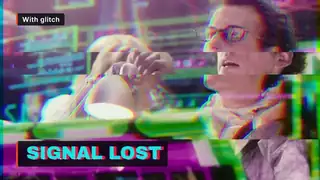
  • Glitch effect: Short, controlled RGB-split glitches on a title, readable between hits.
  • Light leaks: Warm or cool leaks of light that drift over a shot for memory beats and soft transitions.
  • Film grain overlay: A seeded grain layer with a gentle vignette and a dark-only flicker over a frame, with strength as a variable.

Effects in this group

Kinetic typography slam

Heavy headlines that slam in on the beat, for hooks, ads and Shorts.

Lower thirds

Name and title overlays for interviews, podcasts and talking heads, with short and long names.

Bar chart race

Labelled bars grow and reorder as values change while the numbers count up, for data explainers.

One effect from each type is shown below as a video tile. All 82 of our effects are on the effects hub, and the job pages are motion graphics workflows and motion graphics tools.

Method and limits

  • The seven types are our own grouping, so that each of our 82 rendered effects fits one. Other lists of types exist.
  • Each effect is an example rendered by us from a HyperFrames block or our own composition. We list two or three per type, not all of them.
  • Definitions are general descriptions, not measurements. We did not measure how any type performs with viewers.
  • Software such as After Effects, Blender and Canva is not reviewed here.

Page checked on Nov 4, 2026.